
Download AILogoMaker – AI Powered Logo Design Tool, Free & Secure
Overview: Why AILogoMaker Is Changing the Logo Design Landscape
AILogoMaker is a web‑based, AI‑driven logo creation platform that promises to deliver professional‑grade branding assets in minutes, not days. Built on a deep‑learning engine that has studied millions of existing logos, the service can instantly generate a spectrum of designs that match the tone, industry, and visual preferences you specify. Whether you are a startup founder with no design budget, a marketing manager needing a quick refresh, or a freelance designer looking for inspiration, AILogoMaker removes the traditional bottleneck of hiring a graphic artist or mastering complex design software.
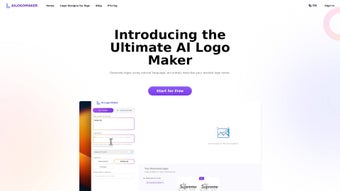
The interface is intentionally minimalist: you type your company name, select a few style cues—such as font weight, color palette, or iconography—and the AI presents a curated set of logo concepts. From there, you can fine‑tune each element, experiment with layout variations, and instantly preview how the logo will appear on business cards, websites, or merchandise. Because the tool runs entirely in the browser, there is no need to install bulky programs; all processing occurs securely on encrypted servers, ensuring your data remains private.
Once satisfied, you can download high‑resolution files in PNG, SVG, or PDF formats, granting you full copyright ownership and the freedom to use the logo across any medium—online or offline. In short, AILogoMaker democratizes professional branding, offering a fast, affordable, and user‑friendly alternative to traditional design workflows. Its cloud‑first architecture also means updates are pushed automatically, so you always work with the latest AI model without manual patches or version conflicts.
This combination of speed, security, and accessibility makes AILogoMaker a compelling choice for anyone who needs a polished visual identity without the usual overhead.
Key Features & Capabilities of AILogoMaker
AILogoMaker’s feature set is designed around the practical needs of modern businesses and designers. The platform balances raw AI power with hands‑on control, allowing users to start with an automated concept and then shape it into a unique brand mark. Below is a detailed look at the most important capabilities that set this tool apart from generic logo generators.
- AI‑Generated Concepts in Seconds: The algorithm produces 10‑20 unique logo options after you enter your brand name and preferences.
- Deep Customization Controls: Adjust fonts, colors, spacing, and icon styles with an intuitive drag‑and‑drop editor.
- Multiple Export Formats: Download logos as PNG for web use, SVG for scalable vector graphics, or PDF for print‑ready assets.
- Brand‑Centric Style Filters: Choose from industry‑specific themes (tech, food, fashion, etc.) and mood descriptors (modern, classic, playful).
- Real‑Time Preview: See how your logo looks on mock‑ups like business cards, t‑shirts, and website headers without leaving the platform.
- Full Copyright Ownership: Every logo you create is yours to use commercially without additional licensing fees.
- Secure Cloud Processing: All data is encrypted during transmission and never stored longer than necessary.
- Free Tier with Premium Upgrades: Generate basic logos for free; unlock high‑resolution files and advanced editing tools with a modest subscription.
- Cross‑Platform Accessibility: Works on any modern browser, making it usable on Windows, macOS, Linux, Android, and iOS devices.
- Continuous Learning Updates: The AI model is regularly refreshed with new design trends, ensuring fresh and contemporary outputs.
Each feature has been engineered to reduce friction. For example, the style filters are grouped by visual language, so you can quickly narrow down a palette that resonates with your target audience. The real‑time preview uses high‑fidelity mock‑ups that mimic real‑world materials, helping you avoid costly re‑prints later. Moreover, the export options include both raster and vector files, so you can scale your logo from a favicon to a billboard without loss of quality. Together, these capabilities make AILogoMaker a robust, end‑to‑end solution for brand creation.
Installation, Usage Instructions & Compatibility
Getting Started – No Download Required
Because AILogoMaker is a cloud‑based SaaS solution, there is no traditional installation process. To begin, open any up‑to‑date web browser (Chrome, Firefox, Edge, Safari) and navigate to ailogomaker.com. The landing page offers a clear “Create Your Logo” button that launches the design wizard. You’ll be prompted to create a free account using an email address or a single‑click Google login; this step simply stores your projects for future editing and enables cloud‑based saving.
Step‑by‑Step Workflow
- Enter Brand Information: Type your company name, optional tagline, and select the industry you operate in. A dropdown also lets you specify the target audience (B2B, B2C, nonprofit, etc.) to fine‑tune the AI’s tone.
- Choose Style Preferences: Pick a primary color, preferred font style, and an icon category (e.g., abstract, animal, technology). You can also upload a reference image if you want the AI to incorporate a particular visual element.
- Generate Concepts: Click “Generate” and let the AI produce a gallery of logo options within 10‑15 seconds. The results are displayed in a scrollable carousel, each with a brief description of the design rationale.
- Customize Your Favorite: Use the side panel to tweak colors, swap fonts, adjust spacing, or replace icons. Real‑time previews update instantly, and a “Reset” button lets you revert any changes.
- Export the Final Design: Once satisfied, select the desired file format (PNG, SVG, PDF) and click “Download.” Free users receive a low‑resolution PNG; premium subscribers obtain high‑resolution SVG and PDF files, plus the option to download a transparent PNG for web use.
System Requirements & Operating System Support
AILogoMaker runs on any device with an internet connection and a modern browser that supports HTML5 and WebGL. This includes:
- Windows 10, 11 (Chrome, Edge, Firefox)
- macOS Monterey, Ventura, and later (Safari, Chrome, Firefox)
- Linux distributions with recent browsers (Ubuntu, Fedora)
- Android 8.0+ (Chrome, Firefox)
- iOS 13+ (Safari, Chrome)
Pros, Cons & Frequently Asked Questions
Below you will find a balanced look at what makes AILogoMaker a strong contender in the logo‑design market, as well as a few areas where users may encounter limitations. The accompanying FAQ addresses the most common concerns raised by new users.
Pros
- Instant generation of multiple logo concepts saves time.
- User‑friendly interface requires no design experience.
- Free tier makes it accessible for startups on a tight budget.
- Export options cover all major file formats needed for digital and print media.
- Full copyright ownership eliminates future licensing concerns.
- AI model continuously learns from current design trends.
- Cloud‑based workflow means automatic updates without user intervention.
- Responsive design works flawlessly on desktop, tablet, and mobile.
Cons
- Highly unique or niche icons may be limited by the existing icon library.
- Free version provides only low‑resolution PNG files.
- Advanced typography adjustments (e.g., custom kerning) are restricted to premium users.
- Since it’s cloud‑based, an internet outage halts access.
- Design originality relies on AI training data; extremely similar concepts can occasionally appear.
- Batch exporting multiple logos at once is not currently supported.
Frequently Asked Questions
Is AILogoMaker really free to use?
Yes, you can create and download a low‑resolution PNG logo at no cost. Premium plans unlock high‑resolution SVG/PDF files and advanced editing tools.
Can I own the copyright of the logo I generate?
Absolutely. Every logo produced by AILogoMaker is transferred to you with full commercial rights, so you can use it on any platform without additional fees.
Do I need to install any software on my computer?
No. AILogoMaker is a web application that runs entirely in your browser, eliminating the need for downloads or installations.
What file formats can I export my logo in?
You can export logos as PNG (free tier), SVG, or PDF (premium tier). These formats cover most digital and print use‑cases.
Is my design data safe and private?
Yes. All communications are encrypted via HTTPS, and your design files are stored only for the duration of your session unless you save them to your account.
AILogoMaker offers a compelling blend of speed, simplicity, and quality. The AI produces surprisingly polished concepts, and the customization tools are intuitive enough for beginners yet flexible for professionals. While the free tier's resolution limits may push serious users toward a paid plan, the price point is reasonable for the value delivered. Overall, it’s a strong candidate for anyone needing a quick, affordable logo without sacrificing ownership rights.
Conclusion: Take the First Step Toward a Professional Brand Identity
In an era where visual branding can make or break a business, AILogoMaker removes the traditional barriers of cost, time, and technical skill. By leveraging state‑of‑the‑art machine learning, the platform delivers a spectrum of logo concepts that are both original and aligned with your brand’s personality. Whether you choose the free version for a simple PNG or upgrade to access vector files and deeper customization, the tool guarantees full copyright ownership, allowing you to deploy your logo across any medium with confidence.
Its browser‑based nature ensures you can work from any device—Windows laptop at the office, macOS tablet on the go, or Android phone during a client meeting. The only limitation is an internet connection, a small price to pay for such flexibility. If you’re ready to accelerate your branding journey, simply visit ailogomaker.com, sign up for free, and generate a logo that truly represents your vision.
Don’t let design costs stall your growth—download AILogoMaker today and watch your brand come to life with professional polish and zero hassle.



.png)



